
Studying and thinking
Break a syllabus, a book or a lecture into branches you can revisit. Turn on completion tracking and the map doubles as a revision checklist.
Mind mapping for Android
Global MindMap turns scattered thoughts into clear, actionable visual plans. Instead of hunting through toolbars, you hold for half a second and a radial menu opens exactly where you need it. Fluid and intuitive.
Free to download. Contains ads, with an optional Premium plan. No account required.
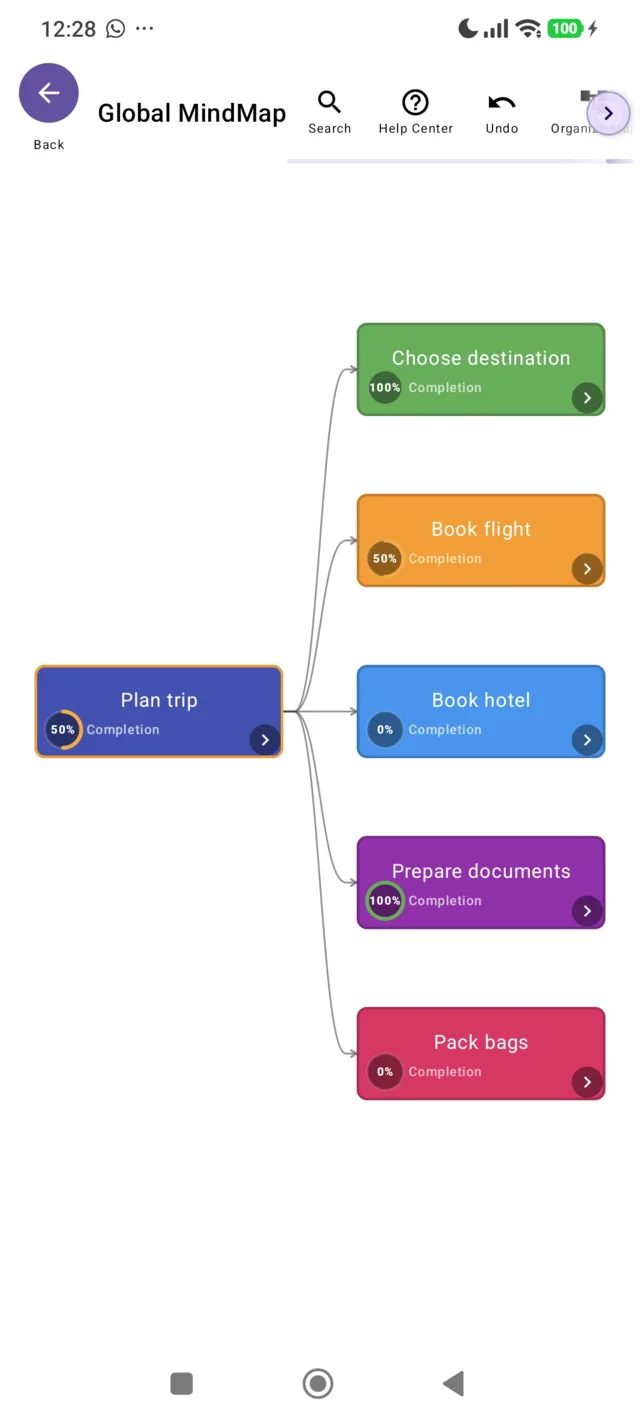
Real screenshot from the app — a trip planned in six nodes.
Your maps never leave your device. There is no account, no upload and no cloud storage of your content. Everything you draw is generated and kept locally. Read the privacy policy.
What is inside
Every screen below is a real capture from the app. Nothing here is a mockup.
Hold for half a second on the background or on a node and a radial menu opens with the options for that context. Shortcuts exist to keep the interface uncluttered, so the canvas stays big and the tools stay out of your way until the moment you want them.
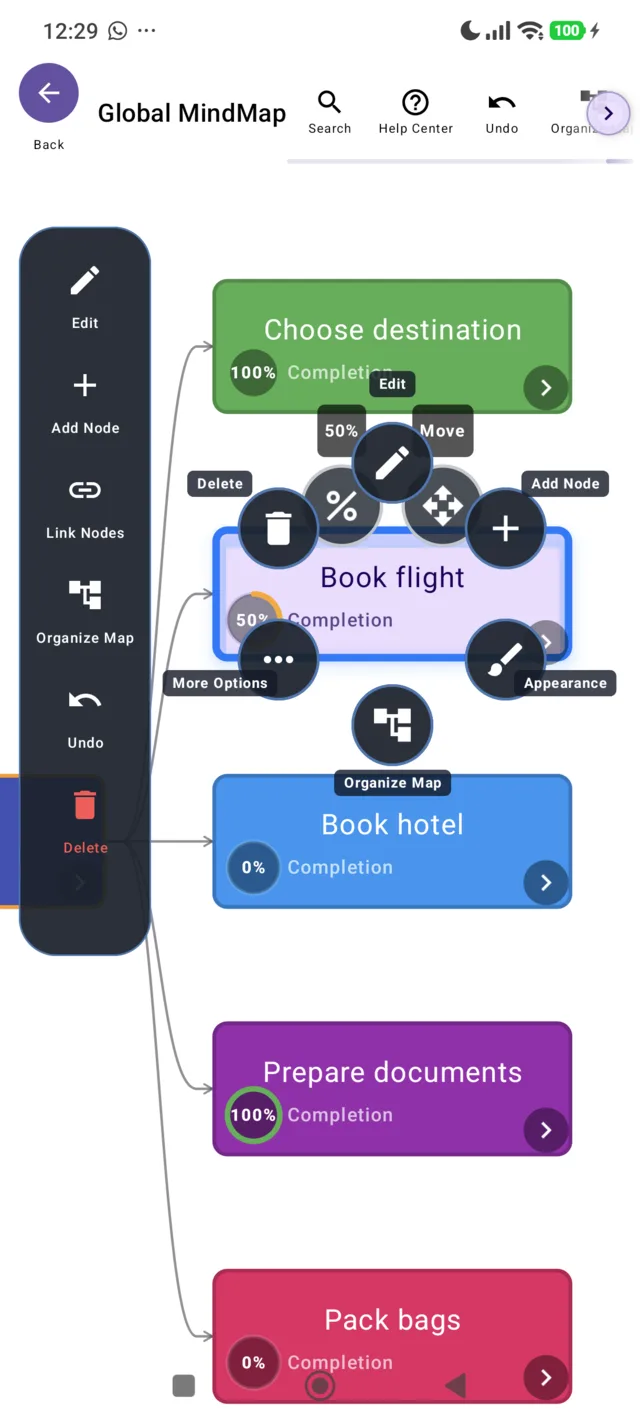
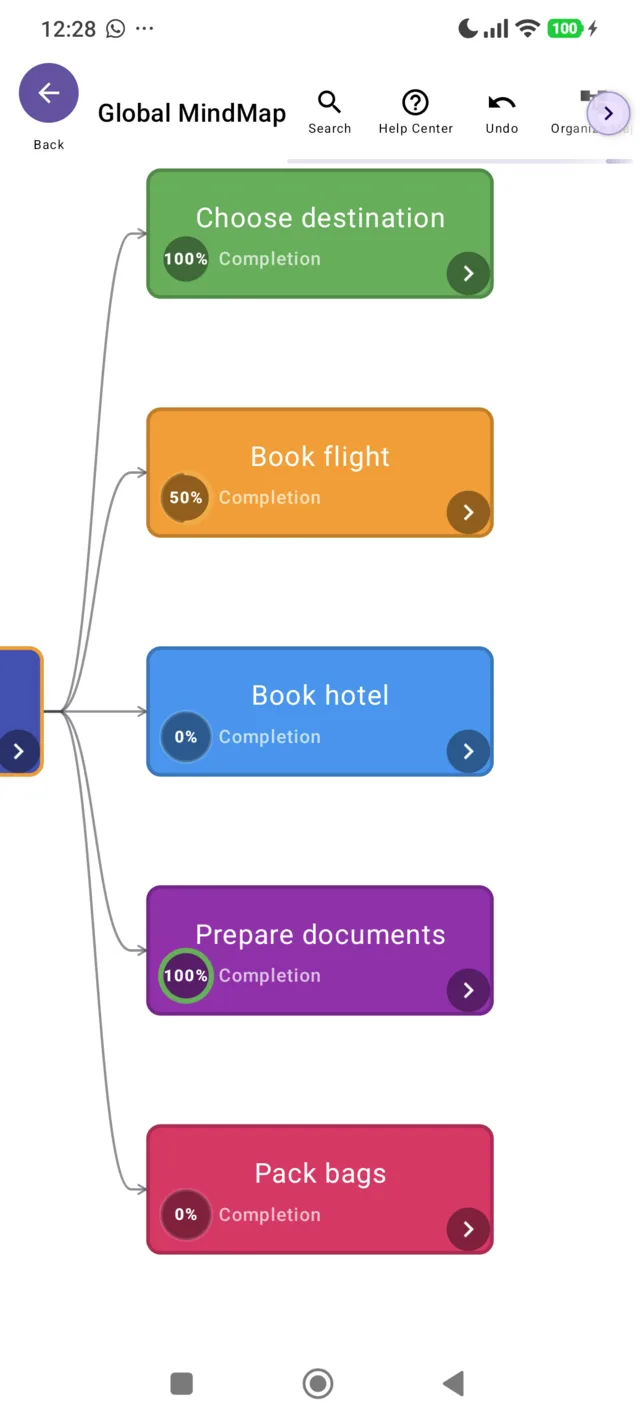
Most mind maps are pretty and useless. This one tracks completion on every node, so a plan becomes a status board. Long-press a node and switch tracking on from the radial menu; the ring fills as the work gets done.
Drag a node above or below its neighbours and hit Organize Map to rebalance the whole structure automatically.
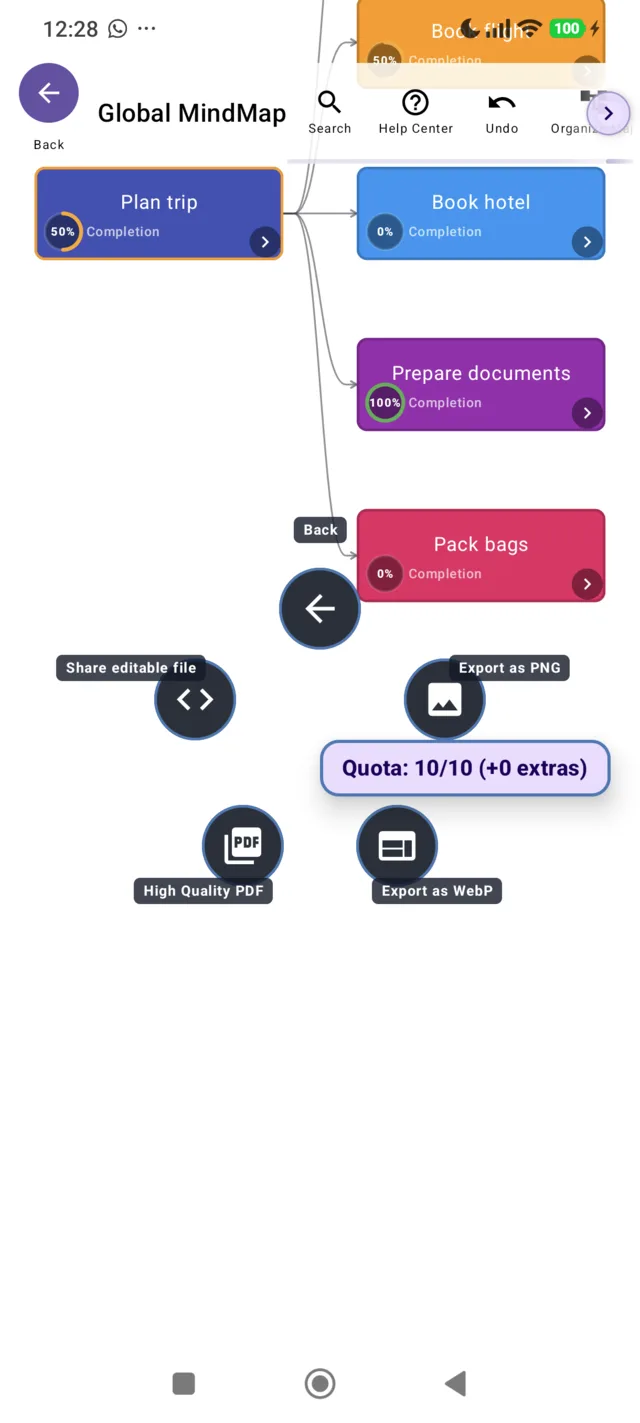
Export when the map is ready, in the format the job needs:
The free plan includes 10 exports a day. Premium removes the limit.
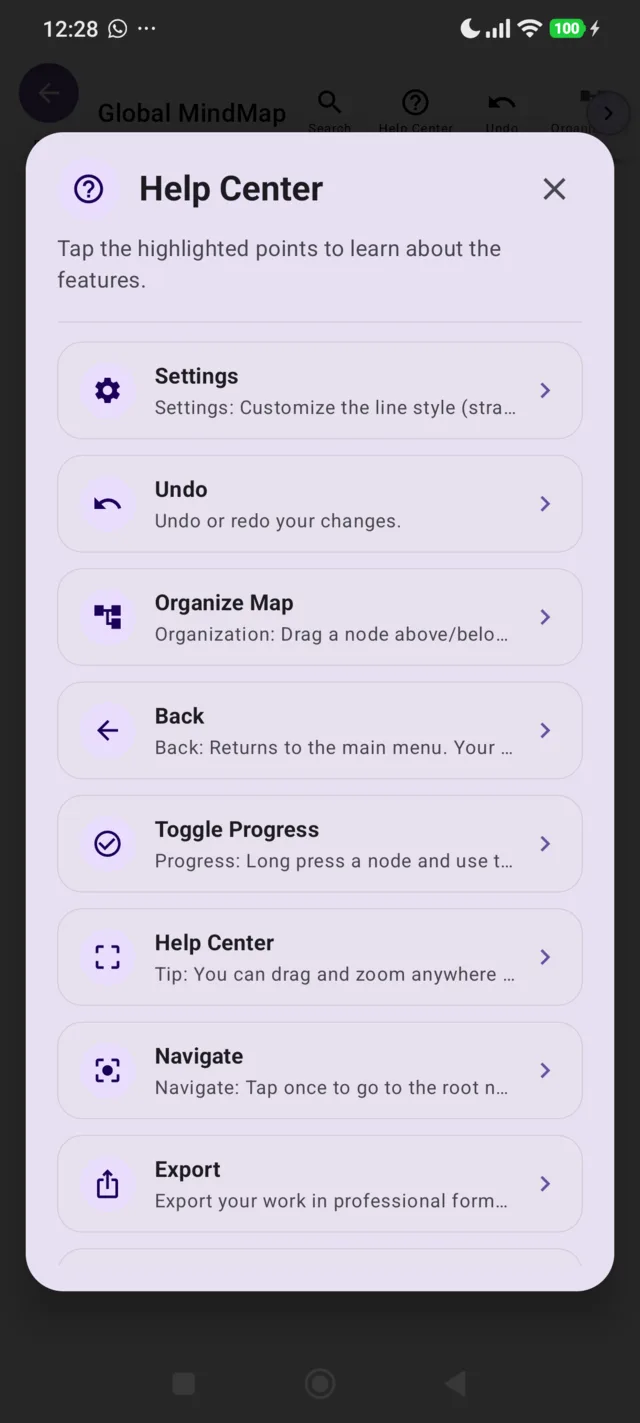
Every feature is documented where you are using it. Tap the highlighted points and the app explains them. The same documentation is published here as a written manual, in your language.
A continuous undo/redo history, and your map is saved automatically the moment you leave the editor. No save button to forget.
Change line style, visual theme and the spacing between nodes from the settings menu, and colour each node individually.
Bring in .mndm
projects or full .zip
backups to manage your maps across devices.
Localized into more than 125 languages and regional dialects, with complete right-to-left support for Arabic, Hebrew, Urdu and Persian.
Resource optimization for low memory usage. Large maps export without the app falling over.
Under 18 there are no ads, no analytics and no crash reporting. Company profiles get non-personalized ads only.
Who uses it
Break a syllabus, a book or a lecture into branches you can revisit. Turn on completion tracking and the map doubles as a revision checklist.
Trips, moves, weddings, a product launch. If it has parts that depend on each other, a map is faster than a list — and you can export it as a PDF to send round.
Org charts, process maps, meeting notes. Because nothing is uploaded, proprietary content stays on the device — and the Business plan covers commercial use.
Pricing
The free plan is not a trial. There is no expiry, no feature held hostage, no card at signup. Ads pay for it. Premium is optional and removes them.
Forever, with ads
0 €
Optional subscription
In your currency
Four tiers, priced per country in Google Play
Prices are shown in your own currency inside the app and vary by country and taxes. Billing and cancellation run through Google Play — this website never asks for payment details.
See plans in the appQuestions
A mind map turns a flat list of thoughts into a diagram you can understand at a glance. Students use it to study: the chevron arrows on each node collapse a branch and hide its content — try to recall it from memory, tap again, and the content comes back. It also works beyond studying: track the progress of your game characters, organize the renovation of a house room by room, or split any project into branches you can actually finish.
Yes — and this one is a Global MindMap exclusive. Long-press a node, open the radial menu and tap More options > Toggle progress: the node gains a completion ring with a percentage indicator, from 0 to 100%. It turns any map into a lightweight progress board — ideal for small teams, small projects, or keeping track of several subjects at the same time. On the free plan, one mind map can have progress tracking active at a time: to use it elsewhere, just turn it off on that map and on again in another. Nothing is lost when you turn it off — every node keeps its completion value and the ring comes back exactly as it was. Or unlock it everywhere with the monthly Premium plan.
No. Maps, nodes and .mndm files are generated and stored on your device. There
is no account and no server of ours holding your projects. Deleting the app removes your
local work, which is also the fastest way to erase everything.
Ads are what keep the free plan free. They are Google Mobile Ads, and the rewarded ones are always a choice: watch one, get three extra exports that day. Nothing is sold about you by us. Under 18, ads are switched off entirely — no personalized, no non-personalized, no rewarded.
Building and drawing maps is unlimited. The daily cap exists to stop the app being used as a free batch conversion farm, which would cost more in server-free compute than the ads bring back. If you hit the cap and need one more, a rewarded ad gives three. Premium removes it.
More than 125, including regional dialects, with full right-to-left layout for Arabic, Hebrew, Urdu and Persian. The app follows your device language automatically. The written manual on this site is published in the same languages.
Not yet. Global MindMap is Android only today. Because exports include an editable
.mndm file and full .zip backups, your work is portable and not
locked to the app.
Yes, with the Business plan, which grants a worldwide, non-exclusive commercial licence covering presentations, internal reporting and client deliverables. Your Google Play receipt is the proof of licence. You keep all intellectual property in whatever you draw.
Free on Google Play, no account, nothing to configure. If it is not for you, delete it and your device is exactly as it was.